
Twindor app
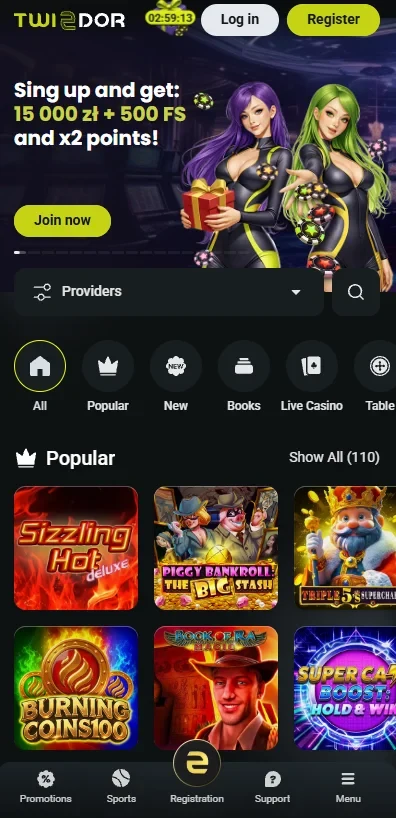
The Twindor app brings our 3,000+ games, live tables and cashier together with the same account you use through a browser. We build navigation for touch, with portrait and landscape layouts for different playing styles. Move between slots, table games and payments without creating another profile. Your balance and active bonuses stay connected across both ways of playing. Access is for adults aged 18+ only, with registration and verification requirements applying whether you choose a handset, tablet or browser.
How to Download the Twindor app
We offer Twindor casino through the App Store for iPhone and iPad, and Google Play or an installation file for Android. These routes give each system a direct installation process. Prefer not to add software? Our browser version needs no installation and supports Chrome, Safari, Firefox and Samsung Internet, with an option to add a home screen shortcut.
| Device | Minimum System | Size | Source | Install Time |
|---|---|---|---|---|
| iPhone and iPad | iOS 15.0 | 164 MB | App Store | About two minutes |
| Android phones and tablets | Android 10.0, 3 GB RAM | 128 MB | Google Play or website file | About two minutes |
| Mobile browser | Supported browser | No download | twindor--casino.com | No installation |
For Android Phones and Tablets
- Open twindor--casino.com in Chrome on your handset or tablet.
- Open our application section to find the available installation routes.
- Choose Google Play or download our installation file directly.
- If using our file, allow Android to install from this source once.
- Open the application, then log in or register.
For iPhone and iPad
- Open twindor--casino.com in Safari on your iPhone or iPad.
- Find our application section through the website navigation.
- Follow its link to the App Store.
- Confirm installation with Face ID or your Apple ID password.
- Launch the application and sign in or create a profile.
Our application requests network and notification permissions, never access to contacts, photos or location.
Use the twindor app download options on our website to choose your preferred installation route.
Logging In and Getting Started
Sign into the Twindor app with your email and password, then enable biometric login through Profile > Security > Login Protection for future visits. Registration asks for email, password, date of birth and country, plus age confirmation; entering a promo code is optional. After signing up, open Profile > Cashier > Deposit to fund your balance. Leave the bonus switch enabled for our welcome offer. No code is required for automatic activation after a qualifying deposit.
Games and Features in the Twindor app
We bring our full catalogue to the twindor casino app rather than limiting mobile play to a smaller selection. Browse familiar categories, discover new releases and choose between individual games or live tables.
- Slots. Play Sticky Coin: Hold the Spin, 3x5 Double Blazing and Only Coins Express alongside classic fruit slots and Megaways.
- Live Casino. Join real dealers in real time for roulette, blackjack and other supported table formats.
- Table Games. Choose roulette, blackjack, baccarat, poker and other card games from our catalogue.
- New Releases. Find recently added slots and table games together in their own lobby section.
- Jackpots. Browse jackpot slots separately when you want that format rather than a classic fruit machine.
At Twindor casino, each game displays its RTP so you can read that information before choosing a title. Games load through a mobile browser engine using Wi-Fi or mobile data. Connection quality matters especially during live sessions, where dealer video runs in real time. Switching networks between rounds avoids interrupting an active decision, while closing unused background applications leaves more memory available for play.
Deposits and Withdrawals on Mobile
Our cashier in the Twindor app handles incoming payments and withdrawal requests from one place. Use Deposit to add funds, or open Profile > Cashier > Withdraw to request a payout. Payment details must belong to you, with no third-party deposits or anonymous payments accepted.
| Item | Details |
|---|---|
| Minimum deposit | $15 |
| Maximum deposit | $6,000 |
| Minimum withdrawal | $30 |
| Maximum withdrawal | $7,000 |
| Deposit methods | Visa, Mastercard, Skrill, Neteller, bank transfer |
| Withdrawal methods | Visa, Mastercard, Skrill, Neteller, bank transfer |
| Processing time | Within 24 hours |
| Deposit crediting | Instant |
| E-wallet and crypto arrival | Same day after sending |
| Card arrival | 1 to 3 business days after sending |
| Our fees | None |
| Account currencies | USD |
Apple Pay and Google Pay support one-tap deposits at Twindor casino, reducing repeated payment entry on a small screen. Withdrawals normally return through the method used to deposit. Before your first payout, we require photo ID and proof of address, with proof of source of funds requested in some cases.
Payment approval does not replace identity checks. Keep documents readable, showing complete edges and matching profile details, so our verification team can assess them.
Claiming Bonuses on Your Phone
Our welcome package works identically in the Twindor app and browser, offering up to $3,700 plus 500 free spins across your first three deposits. Bonus value reaches up to 200%, with larger qualifying deposits receiving larger rewards. No promo code is needed. Activation follows your deposit automatically, and each qualifying stage includes an x2 Points Multiplier for 2 hours. Your own funds are used before bonus funds once a deposit activates an offer.
| Stage | Deposit Bonus | Free Spins | Featured Game |
|---|---|---|---|
| First deposit | 125% | 100 | Sticky Coin: Hold the Spin |
| Second deposit | 150% | 100 | 3x5 Double Blazing |
| Third deposit | 175% | 100 | Only Coins Express |
We also offer a Reload Bonus at Twindor casino with 50% up to $196 and 30 free spins on Budai Reels. Our Highroller Bonus gives 100% up to $4,900 plus 100 free spins. Wagering is x25, including free spin winnings; spins remain valid for 14 days after activation. Follow progress through Profile > Rewards > Active Bonus.
Account Security on the App
Protection in the Twindor app includes Face ID or fingerprint login, optional two-factor login and automatic session closure after 15 minutes without activity. Manage these controls under Login Protection. We retain no information on your handset beyond what signing in requires. A screen lock adds another practical barrier when somebody else handles your device, while logging out remains useful whenever you finish a session.
Only one profile per person is allowed through the Twindor app, with checks covering email, device and payment method. VPN use is prohibited and leads to account restriction. Keep registration information accurate and payment ownership consistent when submitting verification documents. Play as entertainment within a budget set before your first deposit.
Frequently Asked Questions
Is the Twindor app Available in the App Store and Google Play?
Yes, we provide native versions through both stores. Follow our website links to reach the appropriate listing for your operating system. Android users also have a direct installation file option, while browser access remains available without installing additional software.
Do I Need a New Account for Mobile Play?
No, your existing sign-in works across our application and browser. Use the same email and password to reach your balance and active offers. Creating another profile is unnecessary and conflicts with our one-account-per-person rule. Biometric access can be enabled after signing in.
Which Payment Methods Work on a Phone?
Visa, Mastercard, Skrill, Neteller and bank transfer are available through our cashier, alongside supported alternatives such as Apple Pay and Google Pay. Payment ownership must match your registration details. A deposit option does not automatically mean that the same service accepts withdrawals.
Can I Play Live Casino Tables Through the Application?
Yes, real-dealer tables run alongside slots and standard table games. Sessions use live video, so a stable connection helps maintain uninterrupted viewing and timely decisions. Choose a table after reviewing its displayed rules, then avoid switching connections while a round requires your input.
Can I Claim the Welcome Offer on Mobile?
Yes, our welcome package is available through both mobile routes and the browser. Keep the bonus switch enabled before your qualifying deposit. Activation does not require a promotional code. Read the offer conditions before accepting, including wagering requirements, spin validity and the order in which balances are spent.
What Should I Do If Installation Fails or My Device Is Incompatible?
Use our browser version instead, which needs no installation. First compare your operating system with the listed requirements and confirm sufficient storage. If installation still fails, email support@twindor--casino.com with your device model and system version. We reply within 24 hours.
How Do I Contact Twindor casino Support From the Application?
Open Profile > Assistance > Live Chat to speak with our team. Chat operates 24/7, including help with installation, login, cashier questions and bonus progress. Describe the action that failed and any message displayed, but never share passwords or complete payment credentials in conversation.
Download the Twindor app
Our native mobile application gives you 3,000+ games, live tables and the same account you use in your browser. Download it from the App Store for iOS or Google Play for Android. Claim our welcome package of up to $3,700 plus 500 free spins across your first three deposits, with no promo code required. Wagering is x25, including free spin winnings.
Choose your store and keep your existing account.
Last updated: